
Indie Office: Quotes, Invoices
Offline quotes, invoices and ledger for solo businesses. No account, no ads.
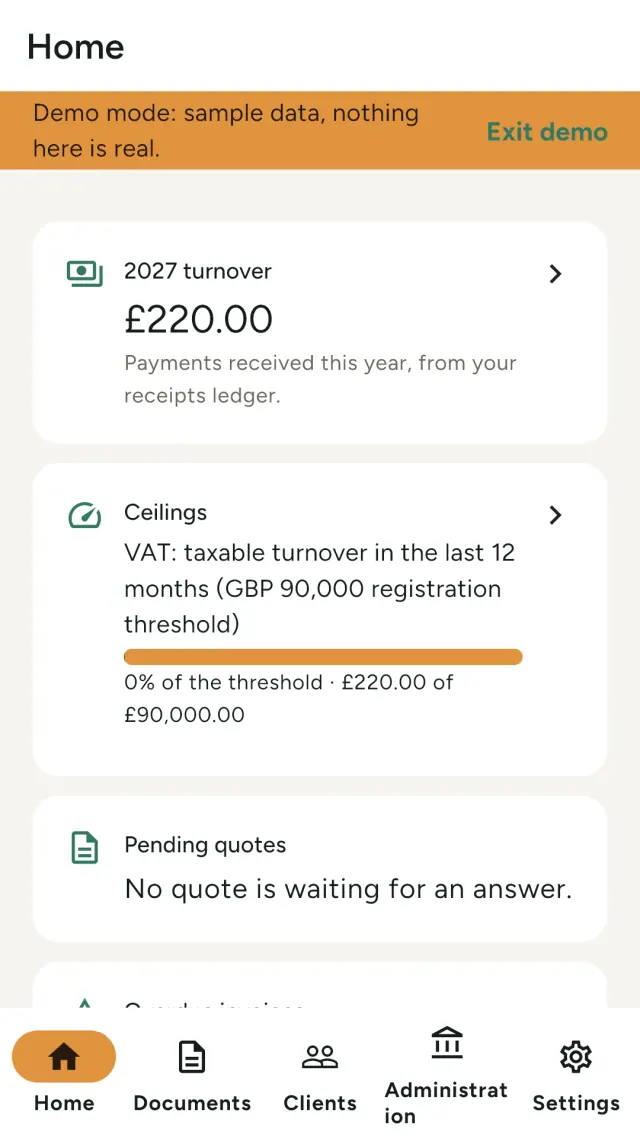
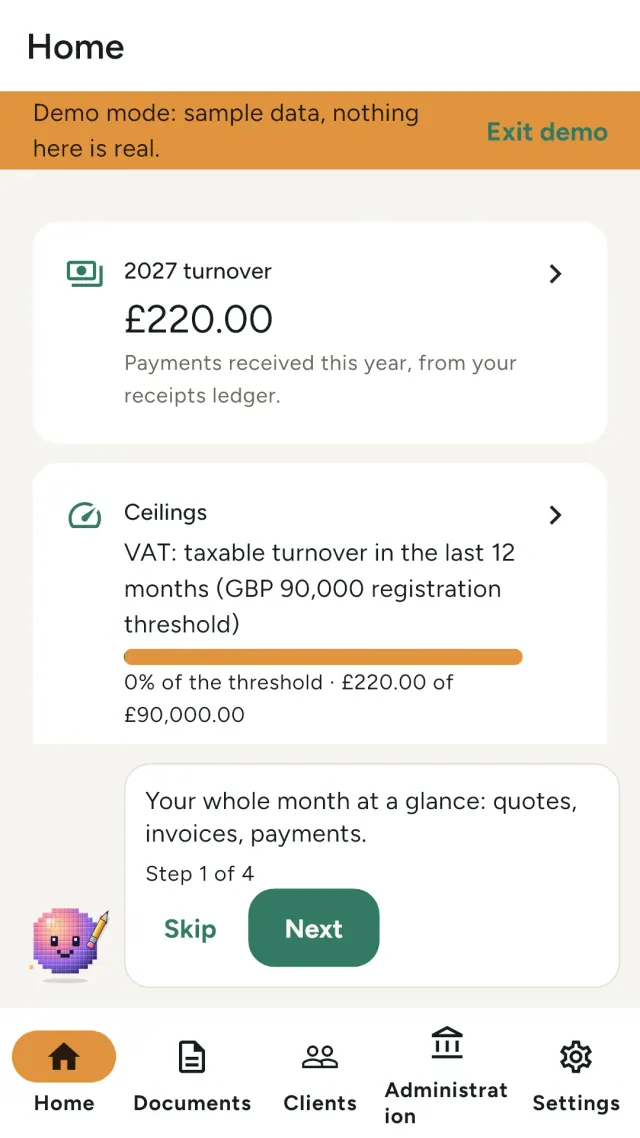
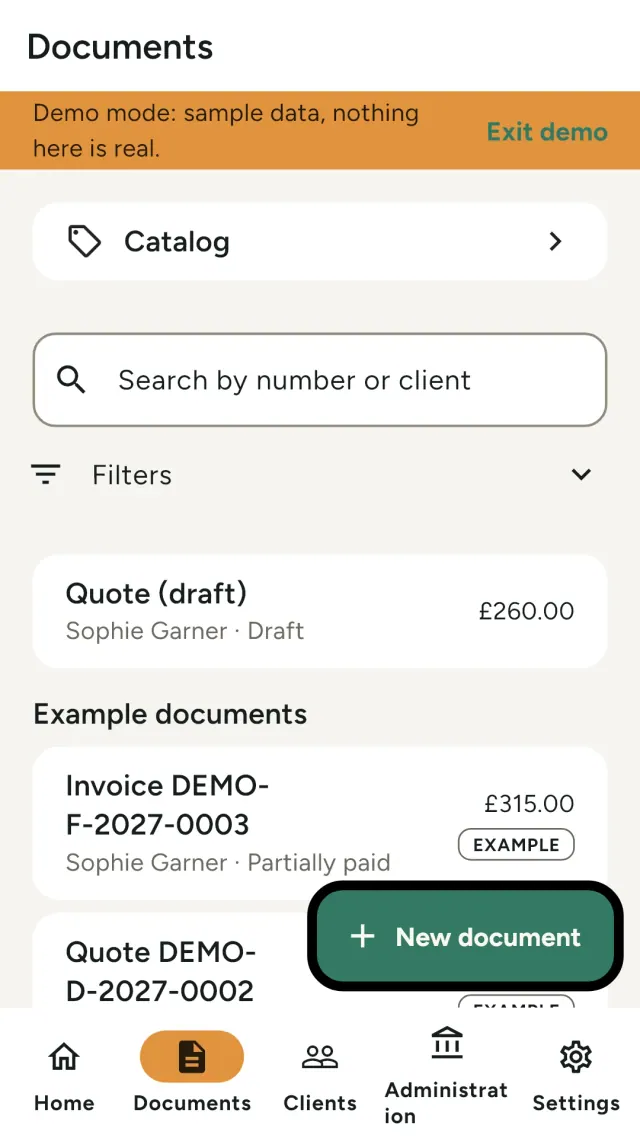
Indie Office is a free app for solo businesses that invoice private customers. Write a quote, take a deposit, issue the invoice, track what you were paid, and keep your simple books. All on your phone.
This is an early prototype for the closed test. It works, but it is not finished. Please tell us what is confusing or missing. Settings has a Coming soon screen that lists what is planned, with no dates.
What Indie Office does
What you can do today
- Create quotes, with the client's signature on the screen
- Issue deposit invoices and final invoices, and credit notes to correct an issued invoice
- Record payments and see what is still unpaid
- Share your documents as PDF files from the system share sheet
- Keep a client list and a catalog of your services and products
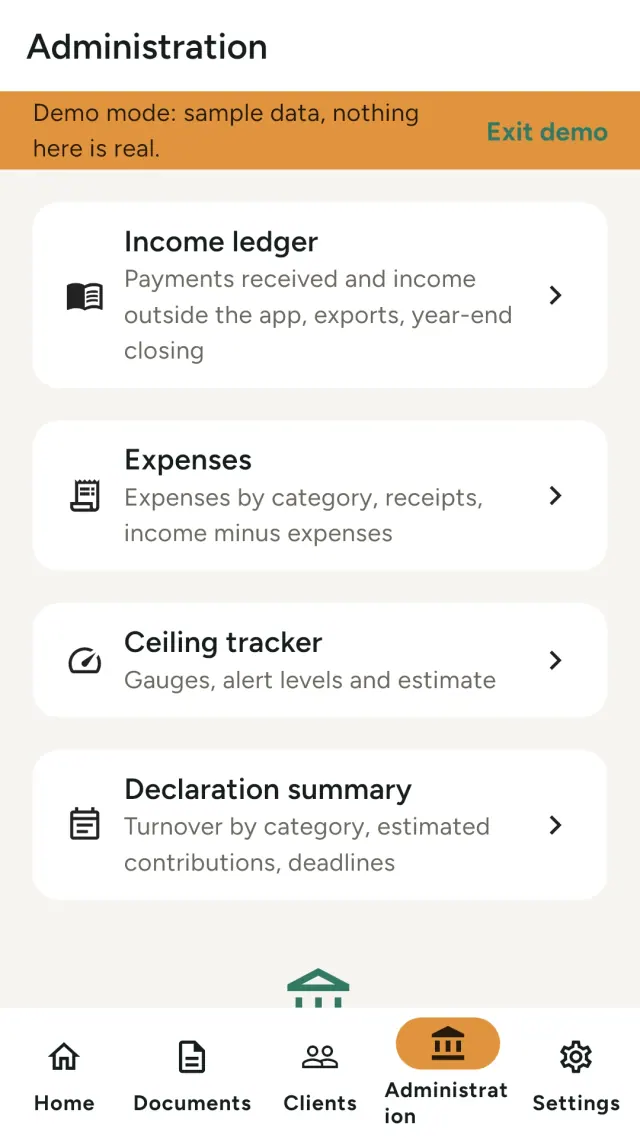
- Follow your receipts ledger and your purchases or expenses, with photos of receipts
- Watch your yearly turnover against the thresholds of your status
- Get a summary to help you prepare your declaration
- Get local reminders for due dates (no server involved)
- Try everything first in demo mode, with clearly marked example data
Countries and languages
Rules for France, Belgium, Germany, the Netherlands and the United Kingdom are built in. The app speaks English, French, German and Dutch.
Your data stays with you
- Works offline, no account, no ads, no tracking
- Your data is stored encrypted on your device
- Back up to an encrypted file or to a folder you choose
- Optional lock with your fingerprint, face or device code
- You can erase all your data from the settings
Important
Indie Office does not send invoices to any tax authority or platform. The built-in rules are a help, not legal or tax advice, and they are not certified. Check the rules that apply to your situation. This prototype may change or lose features between versions, so keep a backup of anything you care about.
Closed test: your feedback is what we need most. Use the contact form on this page.
Who it is for
- Self-employed people and solo businesses who invoice private customers and want quotes, invoices and a simple ledger in one place.
- People in France, Belgium, Germany, the Netherlands or the United Kingdom who want the usual rules and thresholds of their status built in.
- People who prefer a business app that needs no account and keeps the data on their phone.
Why choose Indie Office
- Your data stays on your phone: no account, no ads and no tracking. It is stored encrypted on the device.
- From the quote to the payment: deposit and final invoices, credit notes, a receipts ledger, purchases or expenses with photos of receipts, and a summary to help you prepare your declaration.
- You keep control: back up to an encrypted file or to a folder you choose, and erase everything from the settings.
What it does not do yet
- It is an early prototype in a closed test: it works, but it is not finished and may change between versions.
- It does not send invoices to any tax authority or platform. The built-in rules are a help, not legal or tax advice, and they are not certified.
- No iPhone version yet, and no sharing between devices.
Pixeon principle. Pixeon apps are local first: no account, no tracking, and your data stays on your phone. If an app ever connects to the network, it is only when you choose to turn on a feature you need, and the privacy policy is updated before it ships.
See Indie Office in action.
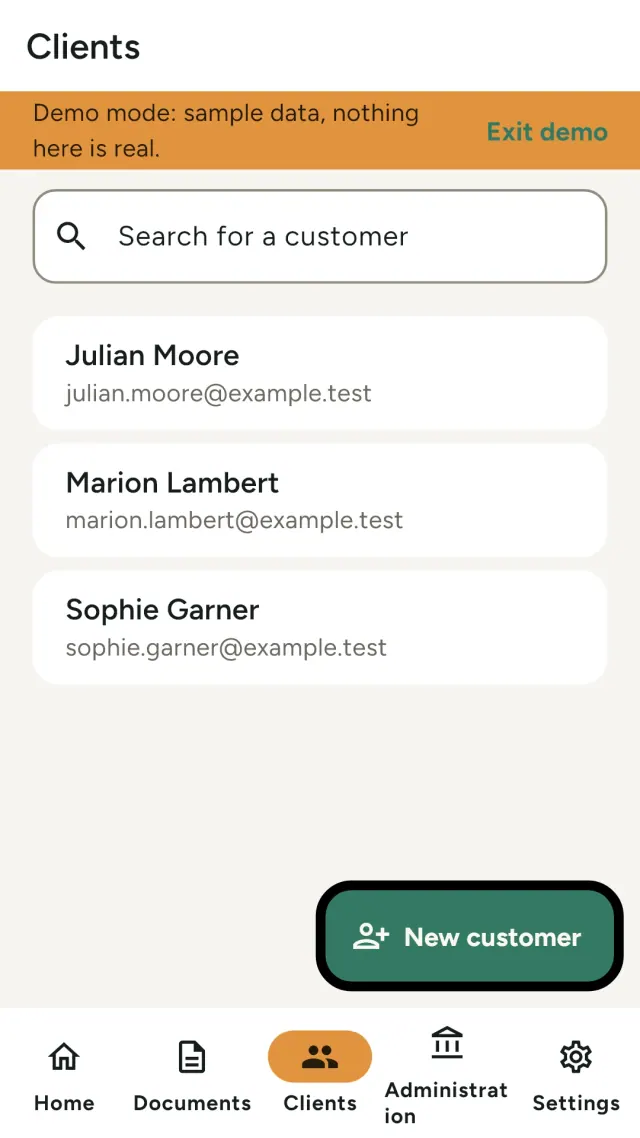
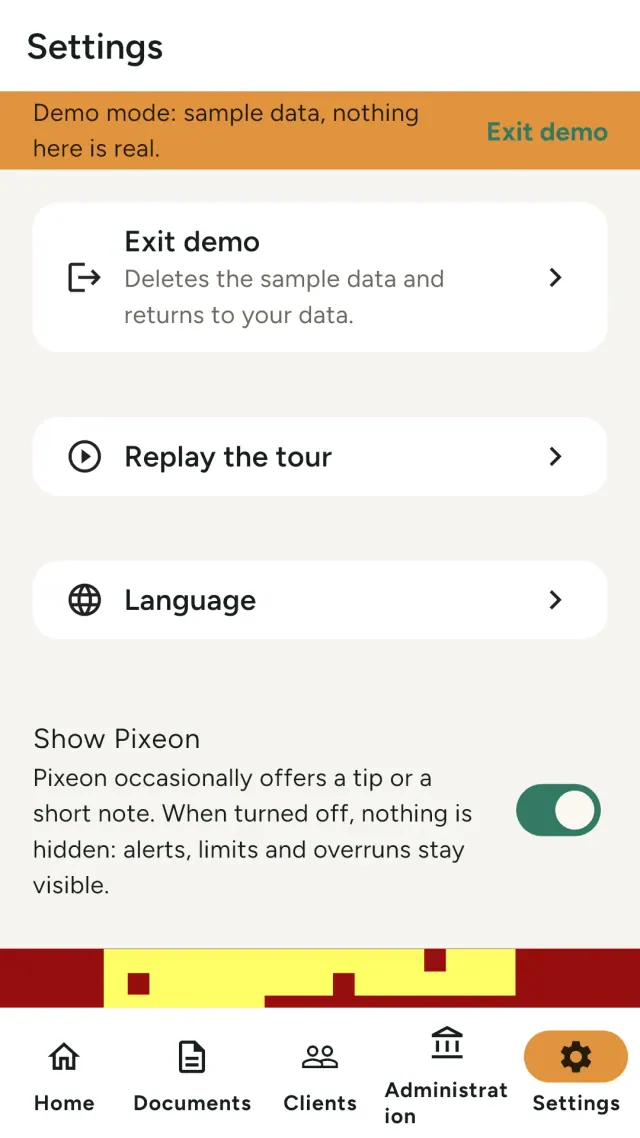
Indie Office is almost here.
The privacy policy and the support page are already available, so you can read how it works before it arrives.
Privacy policy
Last updated: 2026-11-12
Indie Office is a free app for self-employed people who invoice individual customers: quotes, deposits, invoices, credit notes, reminders, and a simple ledger. The short version: your business data stays on your device. There are no accounts and no analytics. The app only contacts our server to download rule updates (anonymous) and, only if you turn it on, to store an encrypted backup that we cannot read.
What the app handles
You enter your business profile, customers, quotes, invoices, payments, purchases, receipt photos, logos and signatures. All of it is stored on your device in an encrypted database. The key is held in the system keychain (iOS Keychain, Android Keystore). There is no account and no sign-in.
What we collect
Nothing about you or your business. Specifically:
- No analytics, no advertising identifier, no third-party tracking or crash-reporting SDK.
- Rule updates. The app downloads rule packs (thresholds, mandatory mentions, deadlines) from
data.pixeon.netwith plain anonymousGETrequests: at most one check of the index per 24 hours, only for the country of your profile, and nothing else. The request carries no identifier, no custom header, no country, no profile data and no cookie; only standard HTTP headers (Accept, andIf-None-Matchto avoid downloading an unchanged index). Like any web server, our host (Cloudflare) sees your IP address and the time of the request; we keep no application log of these requests. Packs are signed (Ed25519) and checked against a fingerprint: the app refuses a pack whose signature, fingerprint or format does not match, and keeps the previous one. You can turn this off (Settings, Current rules, "Update rules automatically"); the app then keeps the rules bundled in the build, shown with their age, and works fully offline. - "Coming soon" screen (Settings). It is a fixed list stored in the app, with no network request. If a contact address is configured in the build, a "Suggest an idea" link opens your own email app with a blank message; the app sends nothing and collects nothing, and what you write is between you and your email provider. Without a configured address, the link is hidden.
- Encrypted backup (optional, off by default). See below.
- Crash reports are never sent automatically. To report a problem, you can export a report yourself and send it to support.
Optional encrypted backup
If you turn on the Pixeon backup (Settings, Backup), the app first warns you that a lost recovery code means a lost backup, and asks you to confirm that you kept the code. It creates a random vault key on your device, stores it in the system keychain, and shows it once as a recovery code (also as a PDF sheet you can print or save). Your data is cut into blocks and encrypted on your device before anything leaves it. The server stores only encrypted blocks, a pointer to the latest snapshot, and minimal metadata (size and dates). It cannot read your data and we cannot recover it for you: if you lose the recovery code, the backup is lost.
- No e-mail, password or account is used. Requests are authenticated with a signature derived from your vault key. The server sees an identifier derived from the key (not the key itself), your IP address, and the size and date of each upload. Identical blocks of one vault look identical to the server (the same content gives the same encrypted block); it learns nothing about their content.
- Only blocks the server does not already have are sent after the first snapshot (incremental upload).
- One active device per vault. If you restore the backup on another device and it writes to the vault, the first device notices, stops sending and becomes read only until you choose: take over, or leave the vault on that device.
- Restoring uses the recovery code and works only on an empty installation.
- Storage: Cloudflare R2. Data is encrypted in transit (HTTPS) and encrypted end to end by you.
- Retention: a vault with no activity for 24 months is deleted. Quota and rate limits apply per vault.
- Deletion: you can delete the vault at any time from the app. Deletion is immediate and cannot be undone. Data on your device is not touched.
- You can instead back up to a file or to a folder of your choice (your own cloud). Nothing is then sent to us.
Backup to a file or to a folder
Two backup modes send nothing to us. Backup file: the app creates one .sdbackup file that you save where you want through the system file picker (Files, Drive, iCloud Drive, a USB drive). Synced folder: you choose a folder once (for example in your own cloud); the app rewrites the same file there after each document you issue, at most once an hour. The file contains your database and your receipt and PDF files. It is encrypted on your device with a passphrase that only you know (Argon2id key derivation, XChaCha20-Poly1305 encryption). The passphrase itself is never stored and never written to a log; the app keeps only the key derived from it, in the system keychain, so it can rewrite the folder copy without asking you each time. If you lose the passphrase, nobody can open the backup, including us. Restoring is only possible on an empty installation, from a file you choose. The app proposes a backup after your first issued document and, if there is none for 30 days, shows one discreet local reminder.
Pixeon, the in-app mascot. Pixeon is drawn inside the app; it needs no network, no account and no permission. To stay rare, the app stores a few values in the local settings table, on your device only: whether Pixeon is shown (the "Show Pixeon" setting), the times of its last appearances (kept for 7 days), the end of the silence after you close a message, the messages already shown once (milestones), the last rule-pack version announced per country, and the date of the last backup reminder. None of this is sent anywhere, none of it is linked to an identifier, and it is removed by "Delete all my data". Turning Pixeon off hides no information: alerts, limits and overruns are always shown by the normal screens.
Permissions
Network access (rule updates, optional backup; the rule update can be turned off). Notifications (Android 13+ asks for permission, iOS asks on first use): used only for local due-date notifications that the app schedules on your device; nothing is pushed from a server, and no push token or identifier is created. You can turn them off in the app. On Android the app also declares the "run at startup" permission (RECEIVE_BOOT_COMPLETED) so that scheduled notifications survive a restart. Biometrics or device passcode (Android USE_BIOMETRIC, iOS Face ID usage description) only if you turn on the optional app lock (off by default): the system asks you to authenticate when the app opens and after the delay you choose. The app has no code of its own, never sees your fingerprint, face or passcode, and stores only the on/off setting and the delay on your device. While the lock is on, the preview in the app switcher is hidden (Android also blocks screenshots). Backup file and synced folder: no storage permission is declared. On Android the folder is chosen through the system folder picker (Storage Access Framework) and the app keeps only the access the system grants for that one folder; on iOS it keeps a security-scoped bookmark to the folder you pick. Camera or photo library only when you take or choose a receipt photo for a purchase or expense (or a logo): the photo is copied into the app's private storage on your device, is part of your backup, and is never uploaded except inside your own end-to-end encrypted backup. On Android the app uses the system camera and photo picker and declares no camera or storage permission; on iOS it declares a camera and a photo library usage description. Notification text shows only the invoice number.
Files, exports and deletion
PDFs, exports and archives are written only where you choose, through the system file picker or share sheet.
- Export (right to data portability). At any time, "My data" produces one ZIP file: one CSV per type of data (profile, customers, catalog, documents and lines, payments, purchases, manual receipts, settings), the income ledger in CSV and PDF, purchases with their receipts, every issued PDF, and an index with SHA-256 fingerprints. The yearly archive (ZIP with the same kind of index) is also available when you close a year. Nothing is sent by the app: you choose where the file goes.
- Erasure (right to erasure). "Delete all my data" removes in one action, after two confirmations, the local database, the issued PDFs, logo, signatures, receipts and yearly archives, the backup keys stored in the system keychain, the scheduled notifications, the app lock setting and all other settings. The app is left empty and can restore a backup you made earlier. If you use the Pixeon vault, you are offered to delete it from the server too; otherwise it stays there, readable only with your recovery code, until you delete it or after 24 months of inactivity.
- What erasure does not remove. Files you exported or saved yourself (exports,
.sdbackupfiles, your synced folder) and backups in your own cloud are outside the app and are not removed. Deleting the app alone removes the local database but not those files. - Legal retention. Invoices and the income ledger must be kept for a period set by law (for example 10 years for accounting records in France; the app shows the period from its country rules and flags it as "to be checked" when it is not confirmed). That duty remains yours: before erasing, the app reminds you of it and offers to export first.
Your customers' data (your responsibilities)
You are the controller of your customers' personal data (GDPR or local equivalent). We never receive it. The app helps with export and with erasing a customer, except where issued documents must be kept by law. Quotes can show an optional information notice for your customers. The app does not transmit invoices to any tax platform and does not state that your documents are compliant or certified.
Price and purchases
Version 1 is free and has no in-app purchase and no tips (no billing permission). The app handles no payment information. This policy must be reviewed if tips or any purchase are added later.
Contact form on this website
If you write to us through this site, we use your message and the email address you optionally give only to reply. Bot protection is provided by Cloudflare and email delivery by Resend.
Language choice on this website
When you choose a language, or when this site opens a page in your browser's language, it stores
one small functional cookie (pxl, a language code, one year) so that your choice is
remembered. If this site suggests a page in your browser's language and you close that suggestion,
your browser also keeps a local note (pxl-banner-off, in local storage, 30 days) so the
suggestion does not come back. Neither identifies anyone, neither is used for tracking or advertising,
and neither is shared. You can delete them in your browser at any time.
Website statistics
This website uses Cloudflare Web Analytics to count visits (pages viewed, country, browser type, loading speed). It sets no cookie, does not use local storage, does not fingerprint your device, does not follow you across sites and does not build a profile of you. Search engines (for example Google Search Console) give us aggregated search statistics, without any data about individual visitors. Our own web server also counts the pages it serves: for each page it keeps the page address, the site or social network that sent you (only its name, or the campaign tag written in the link), the country, the type of device and whether the request came from a robot. It keeps no IP address, no identifier and no cookie, and these counts are anonymous. We use no advertising or other analytics service. None of this concerns the app itself.
Children
Indie Office is a general business tool, not directed at children.
Changes
An updated policy will be published at this URL with a new date above.
Contact
Questions about privacy: indie-office-contact@pixeon.net
Support
Last updated: 2026-11-12
Indie Office is a small independent app, currently in a closed test. Answers to the most common questions are below.
We do our best to reply within a few days. To help us, tell us your device model, its system version and what you were doing. Please do not send personal data, customer data or invoices.
What data does the app store or send?
Your business data stays on your phone, in an encrypted database. There is no account. The only network request is the optional, anonymous download of rule updates, which you can turn off in Settings. Details in the privacy policy.
Is Indie Office available to download?
Not yet. It is in a closed test on Google Play, so it is not publicly listed. This page will link to the store when the app is published.
Does the app send my invoices to the tax authority?
No. Indie Office does not send invoices to any tax authority or platform. The built-in rules are a help, not legal or tax advice, and they are not certified. Check the rules that apply to your situation.
How do I back up my data?
- Open Settings, then Backup.
- Save an encrypted backup file, or choose a folder to keep a synced copy.
The backup is encrypted on your phone with a passphrase that only you know. If you lose the passphrase, nobody can open the backup, including us.
How do I delete my data?
In Settings, choose "Delete all my data". The app asks you to confirm twice, then empties itself. Files you exported or saved yourself are not removed. Uninstalling the app also removes the data stored on the phone.
Can I try the app without entering real data?
Yes. Demo mode fills the app with clearly marked example data, so you can try quotes, invoices and payments first.
Expense tracker and family budget planner. Free phone sync, no account.
Also from PixeonMetadata CleanerEXIF viewer, editor & remover: read, fix or erase photo metadata (GPS, date).
Also from PixeonVaultMarkEncrypted document vault. Watermark documents, remove metadata before sharing.
Also from PixeonLittle RelayBreastfeeding, sleep and starting solids tracker. No account, works offline.
Also from PixeonMenuloopPlan the week's meals, build your grocery list and keep recipes with photos.